I Gave an AI Full Access to My Screen. Here's What Changed.
Not a demo. Not a prototype. Six ways Claude now runs the admin layer of a real AEC firm for $20 a month.
I gave an AI full access to my screen. It now fills out permit applications, pulls project files from my desktop while I'm on site, and sends me a morning brief before I open my inbox.
Not a prototype. Not a demo. This is how I run my AEC firm now — a 15-person civil and architectural engineering consultancy with live government projects, private clients, and the usual pile of compliance, correspondence, and coordination that eats a director's week.
Most firms I talk to still think of AI as a text generator. Write me an email. Summarize this PDF. That's the 10% use case. The other 90% — the part where the AI actually operates alongside you — is what changes the economics of running a firm.
Here's what's genuinely different in my week.
What the AI does now (and didn't a year ago)
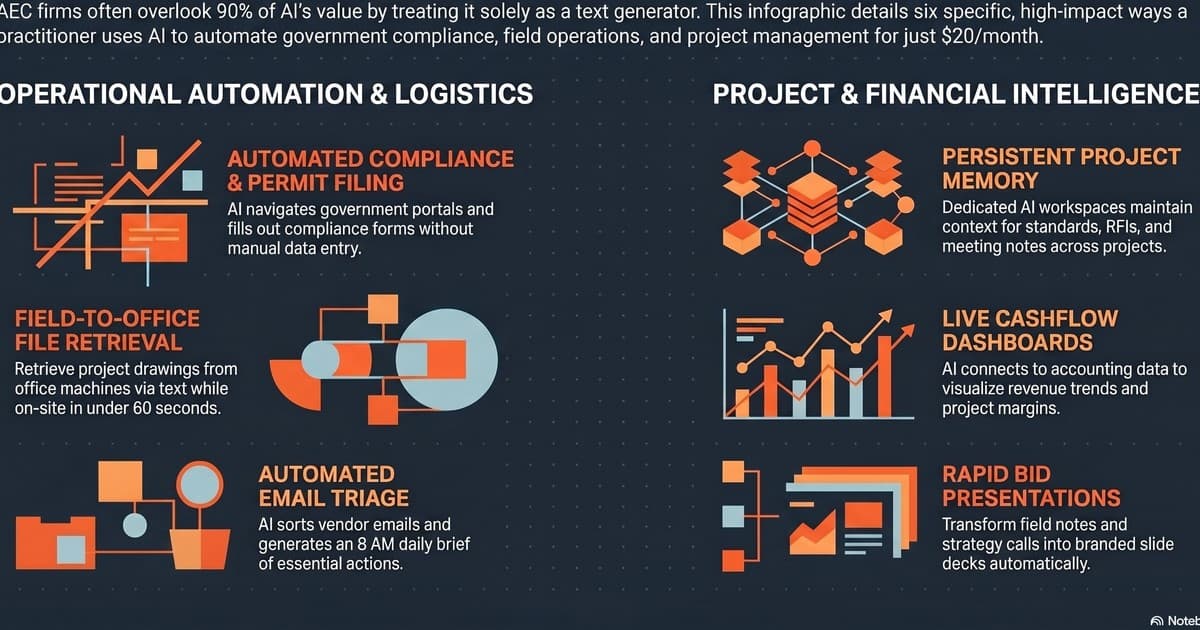
1. Government portals and compliance forms. Suriname's permit and tax portals are paper-brained interfaces bolted onto the web. They were built to consume administrator time. The AI now navigates the screen itself, pulls the right project data from our files, fills the forms, and flags the field it can't verify. I sign off instead of typing.
2. Field-to-office file retrieval. From a job site, I message the assistant to find a specific drawing on my office machine and email it to a subcontractor. Sixty seconds. No calling Jermaine. No driving back. No "I'll send it when I'm at my desk." The file is in the sub's inbox before I'm back in the truck.
3. Persistent project memory. Every project has its own AI workspace. Standards, RFIs, meeting notes, correspondence, contract clauses. It never forgets context, which means I never have to re-explain. When a question comes up three months into a project, the answer isn't "let me check with the team" — it's already there.
4. Bid presentations from rough notes. I dictate field notes and strategy calls. The assistant turns them into branded slide decks — our template, our colors, our logic — without me touching PowerPoint. Review, tighten, send. What used to be a half-day now takes 45 minutes.
5. Automated email triage. Vendor emails, client threads, government correspondence — all sorted, summarized, and drafted. I get an executive brief at 8 AM every weekday with what actually matters and what can wait. The rest I never see in my main view. That one change recovered about 90 minutes a day.
6. Live cashflow dashboards. Connected to our accounting system, the assistant generates interactive views of revenue trends, budget anomalies, and project margins. Not monthly reports — live. I can ask "which project is eating the most unbilled hours this week?" and get a real answer in ten seconds.
Why this is possible now and wasn't 18 months ago
Two things shifted. First, the AI got computer-use capability — it can see the screen, move the cursor, type, click. That's the boring-sounding change that unlocked everything non-trivial, because most real firm admin happens inside portals, desktop apps, and websites that have no API. Second, the persistent-memory layer matured. The difference between "useful chat interface" and "cowork partner" is whether the thing remembers who you are, what your firm does, and what it decided with you last week.
Put those together and you stop operating AI as a tool. You start operating it as a workflow layer that sits next to your team.
The Claude Pro plan I'm running this on costs $20 a month. The admin capacity it's adding is somewhere between half a part-time assistant and a full one, depending on the week. That's not because the model is magic. It's because the scaffolding around it — memory, screen access, project workspaces — finally matches how a firm actually operates.
What it doesn't do (and what most firms get wrong)
It doesn't replace judgment. It doesn't run client calls. It doesn't pick which projects to pursue, which contractors to trust, or which clauses to fight. And it absolutely doesn't sign anything. Every piece of output goes through a human review gate before it leaves the firm.
The firms that get the most out of this tech aren't the ones with the fanciest prompts. They're the ones who map their workflow honestly — step by step, including the stupid manual parts — and then decide which steps the AI can own, which steps it can draft, and which steps stay human. That mapping is the actual work. The tool itself is the easy part.
Where I see firms leaving value on the table:
- Using AI only to write emails or summarize documents. That's the 10% use case.
- Buying subscriptions before defining the workflow the tool is supposed to improve.
- Asking "how can we use AI?" — too broad to act on. Ask "what's the most expensive repeatable task this week?" instead.
- Treating the first 30 days as proof of failure. Workflow rebuilding always feels slower before it feels faster. Budget for the transition.
The question to ask yourself
If you ran a 15-person firm, and a tool that cost less than a team lunch could run half the admin layer reliably, with a human review gate on every output — what would you do with the recovered time?
That's the real question. Not "is AI ready for construction yet?" The answer to that is: depends on which workflow. For admin, document generation, triage, retrieval, and reporting — yes, and it has been for a year. For on-site judgment, negotiation, or stakeholder management — no, and probably not for a while.
If you haven't run the diagnostic on your own firm, the free AI Readiness Audit is where I'd start — 7 questions, your own 2-page playbook, and you'll know within a day which workflow to tackle first.